Configuration user bound LDAP authentication
If you want the user to be authenticated by an external LDAP server, perform the following steps:
-
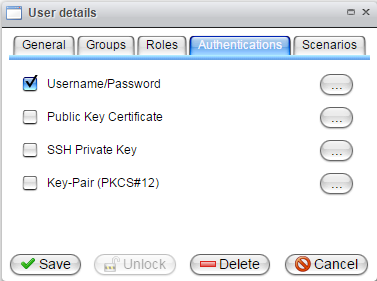
In the menu, select User Management, then select Runtime. Double-click on the user who needs LDAP authentication. Select the tab named Authentications.
-
Click the button to edit the Username and Password.
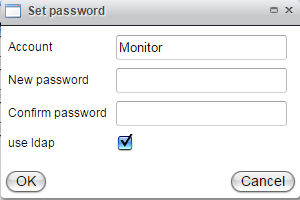
Set the checkbox to use LDAP. Confirm the action by clicking the OK button, then click the Save button in the User Details panel.